Stop-motion animation, free at school and at home.
Paid apps and ads get in the way of a simple creative task. I developed an open-source stop-motion app into a studio built for students, with editable projects, autosave, timeline editing and undo. It’s free, ad-free and students can keep using it at home.
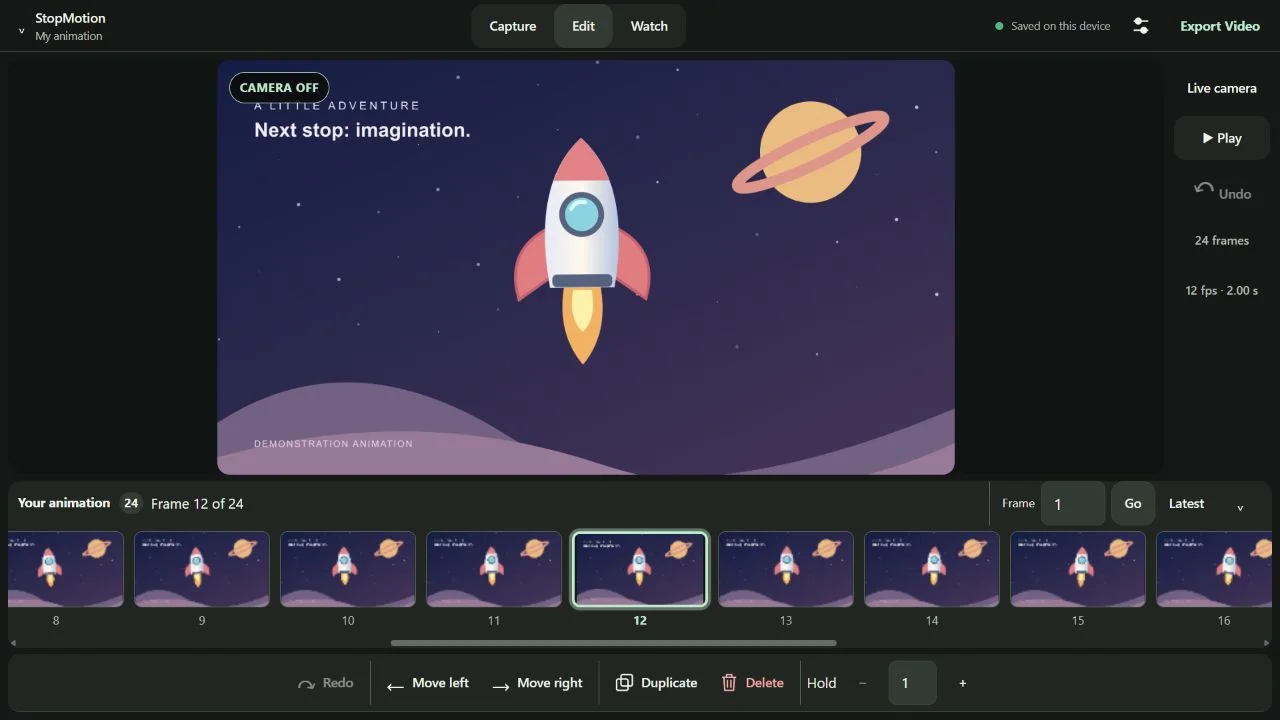
Keep the focus on making.
Paid apps and advertising add friction to a simple creative task. I wanted students to have a proper animation tool they could use in class and keep using at home, for free.
Having our own version also means we can shape the tools around our projects and act on student feedback.
Build on a foundation. Improve the workflow.
I developed Stefan Zager’s original Stop Motion project further. His camera, onion-skin and animation foundation was the starting point. I added editable project files, local autosave and recovery, timeline editing, frame holds and undo/redo.
I also refined the tablet workspace, camera handling and export compatibility. The camera and capture controls come first, and saved projects let students pick up where they left off.
Easy to start. Free to take home.
Students are using it now. Their feedback to me: the controls are easy, the animation features feel familiar, and there are no ads or payments, even at home.
Make every project editable and recoverable.
Project files keep every frame and setting for later editing. Autosave adds a second safety net, save errors are shown clearly and students can download backups. Browser storage backs up the project file; it doesn’t replace it.
Clear credit. Continued development.
Based on Stefan Zager’s original project. The original 0BSD licence is retained in the repository.
The app is live and in student use. The development log records the improvements, checks and known limitations. I maintain and develop this version.
Built with AI-assisted development; the app itself uses no generative AI. Browser and camera support varies, and device testing is ongoing.
Have software that almost fits? I can make it fit.
You don’t always need to start from scratch. I take an existing foundation, adapt it to the people using it, refine the interface and keep improving it from their feedback. StopMotion is that process, in a classroom.
Whether I join your team or take on a project, the approach is the same: start from what works, shape it around your people and keep improving it.
Explore my workflow automation and custom software workLet's build it.
Hiring for a senior creative technology role, or planning a project that matters? Tell me what you’re trying to achieve and where you’re based. I’m in New Zealand, spent six years in Singapore and am open to remote work or relocation.