A museum-style aquarium, on the school’s own projector.
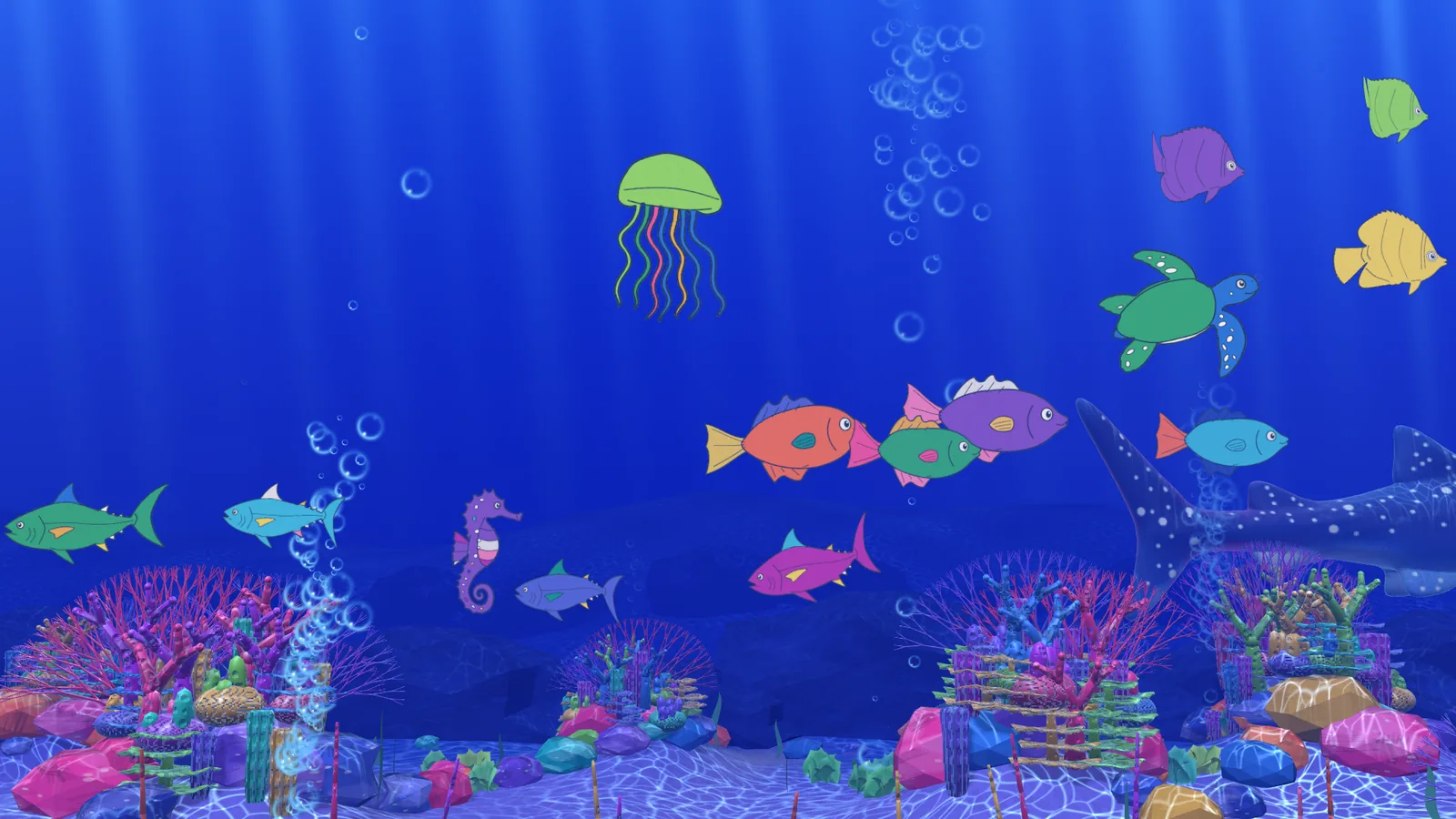
Students colour a sea creature on a tablet, a phone or paper. Once a teacher approves it, their drawing swims across the wall with their classmates’ in an illustrated 3D reef. Commercial versions cost tens of thousands of dollars. I designed and directed one that runs on what a school already has.
- Hardware
- Student devices, a browser and a projector
- Hosting
- One Cloudflare Worker, free tier
- Status
- Deployed · classroom trial next
A museum favourite, priced out of schools.
Children love the sketch aquariums in museums, where a drawing comes to life on the wall. Commercial installations cost tens of thousands of dollars and need dedicated scanners and PCs.
I wanted a version a school could run with what it already has: student devices, a browser and a projector. It also had to be safe for children, with nothing on the wall until a teacher approves it, and simple enough for any teacher to run.
I made every decision. AI tools wrote the code.
I conceived, designed and directed Little Reef, and built it with AI coding tools (Claude, and earlier OpenAI Codex) in my own time. I wrote the requirements in plain language, set the look and the way each animal moves, and designed the classroom workflow.
A change only counted as done when I had approved it on screen. I rejected and redirected many attempts, and every decision is recorded in a dated change log of more than 100 entries. I tested on real hardware and ran the deployment on GitHub and Cloudflare.
Colour it. Approve it. Watch it swim.
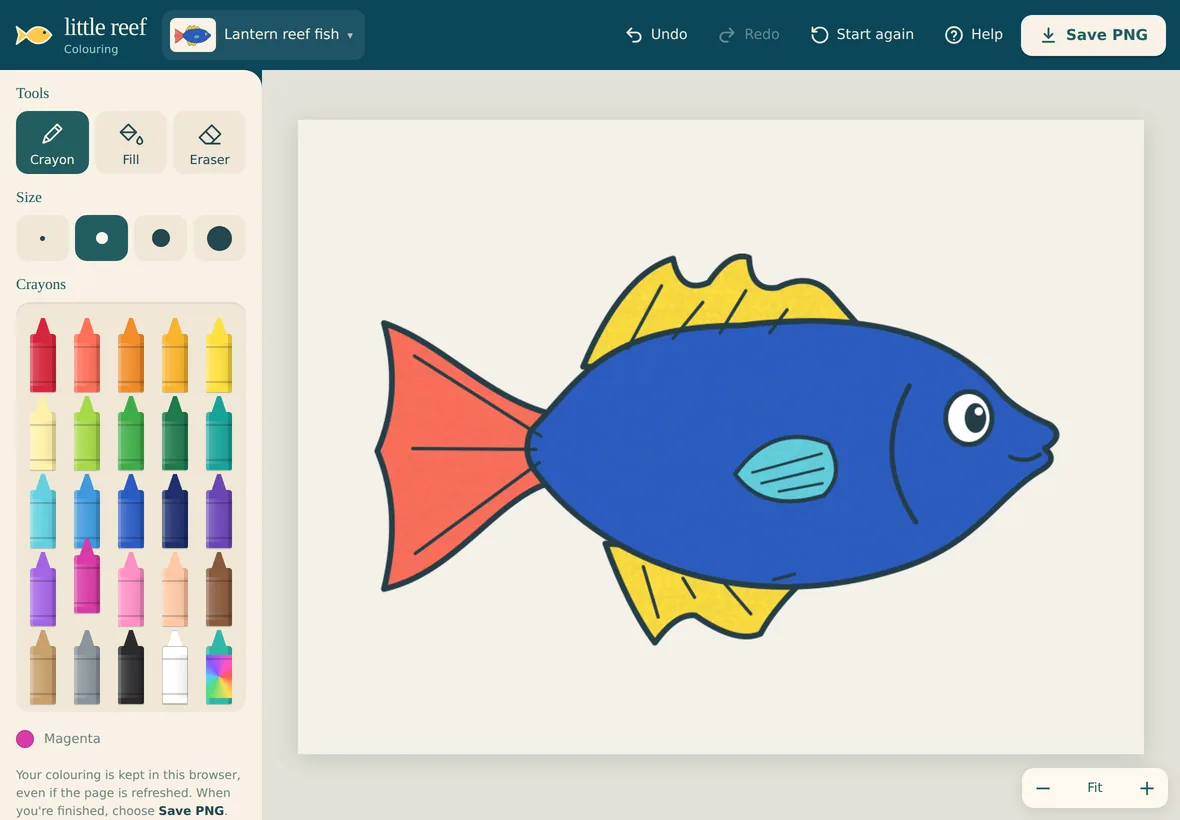
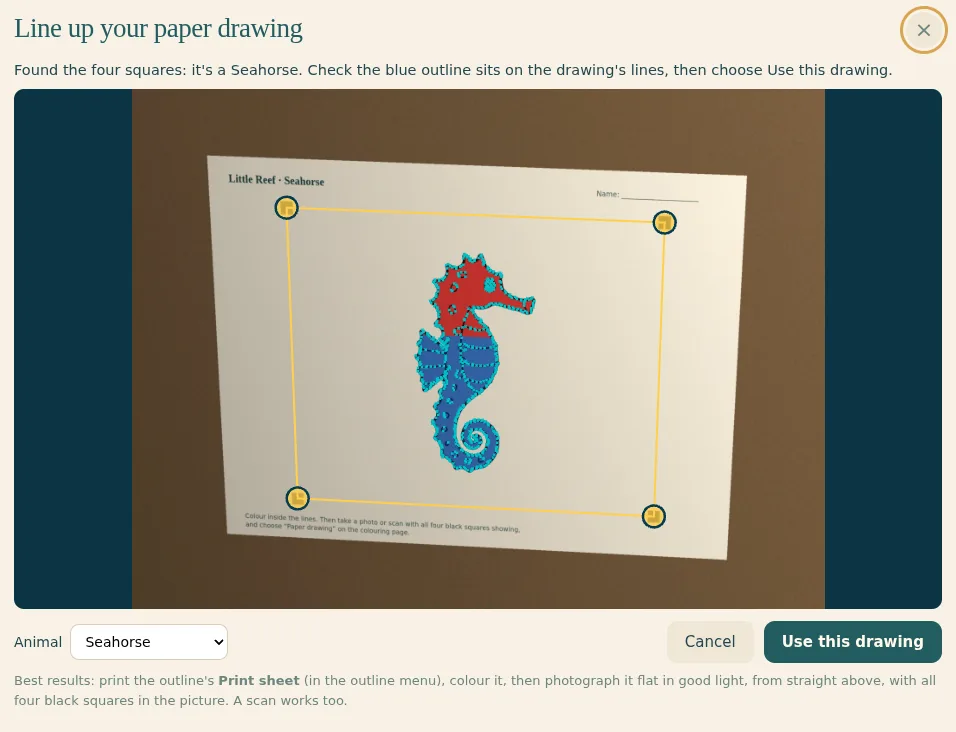
Students colour one of six sea creatures on an iPad, Chromebook or phone, using crayon, fill and eraser tools. Work saves as they go, and the app works offline. Students who prefer paper colour a printed sheet. A phone photo or scan is found, straightened and cleaned up automatically.
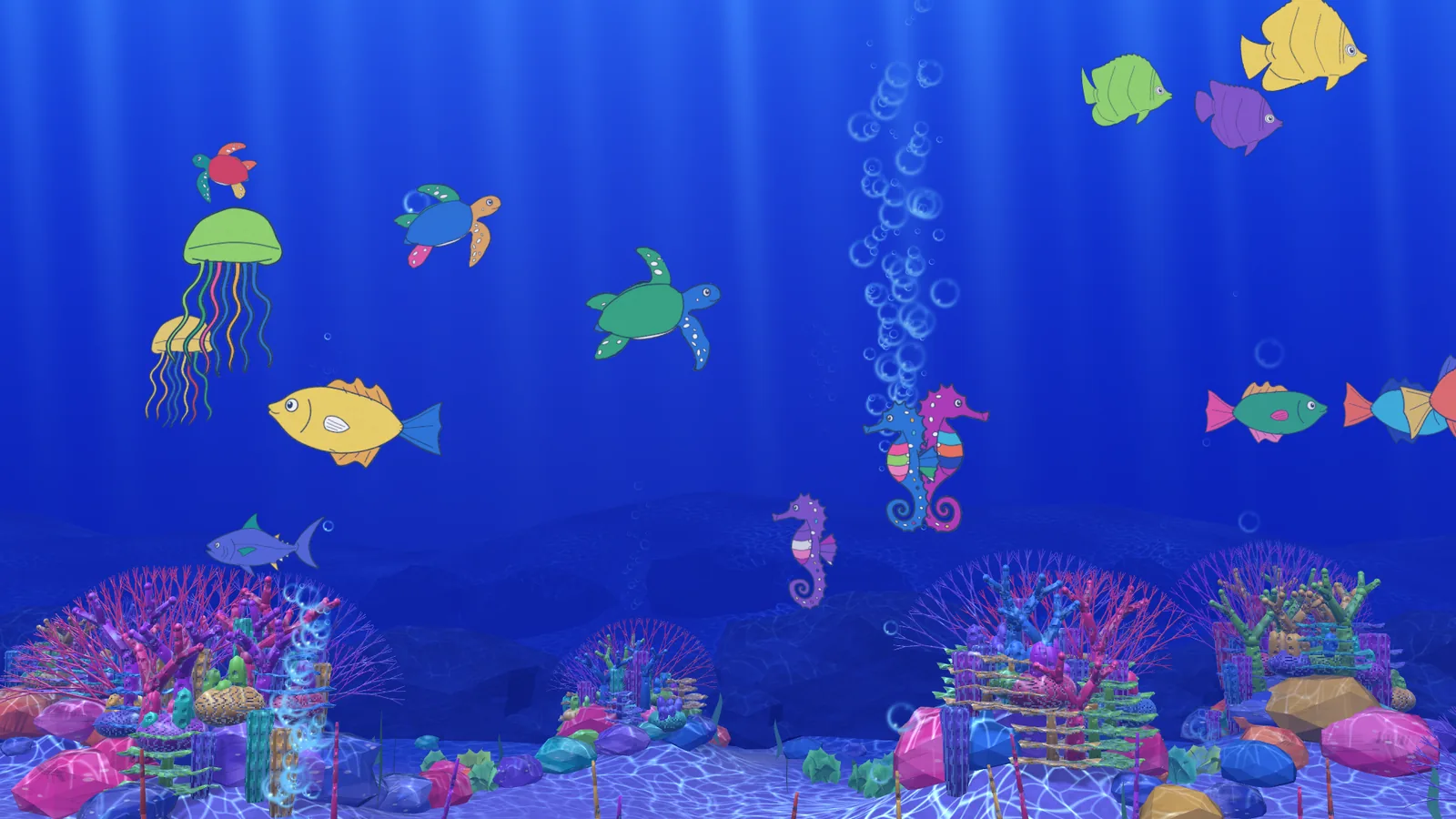
Approved drawings join a 3D reef with moving light, bubbles, coral and a visiting whale shark. Each animal type has its own movement, and fish school together like real ones. The reef starts empty and fills as students contribute. It holds up to about 1,000 drawings over a year, taking turns on screen.
Safe for children. Simple for teachers.
Nothing appears on the wall until a teacher approves it, from any computer, with a teacher key. Denied pictures are kept for 30 days in case of a mistake. The rollout uses no student faces or full names.
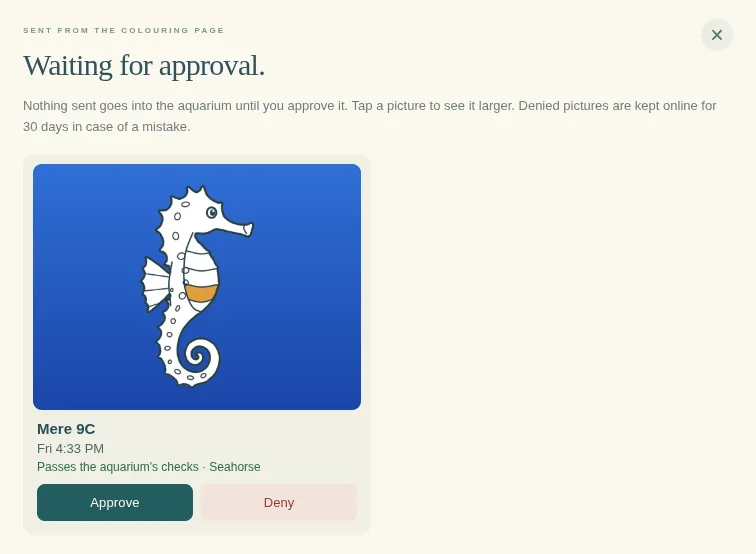
Teachers can search by student name, remove drawings, back up and restore every drawing in one click, and start fresh for a new year. An offline copy keeps the wall running if the internet drops.
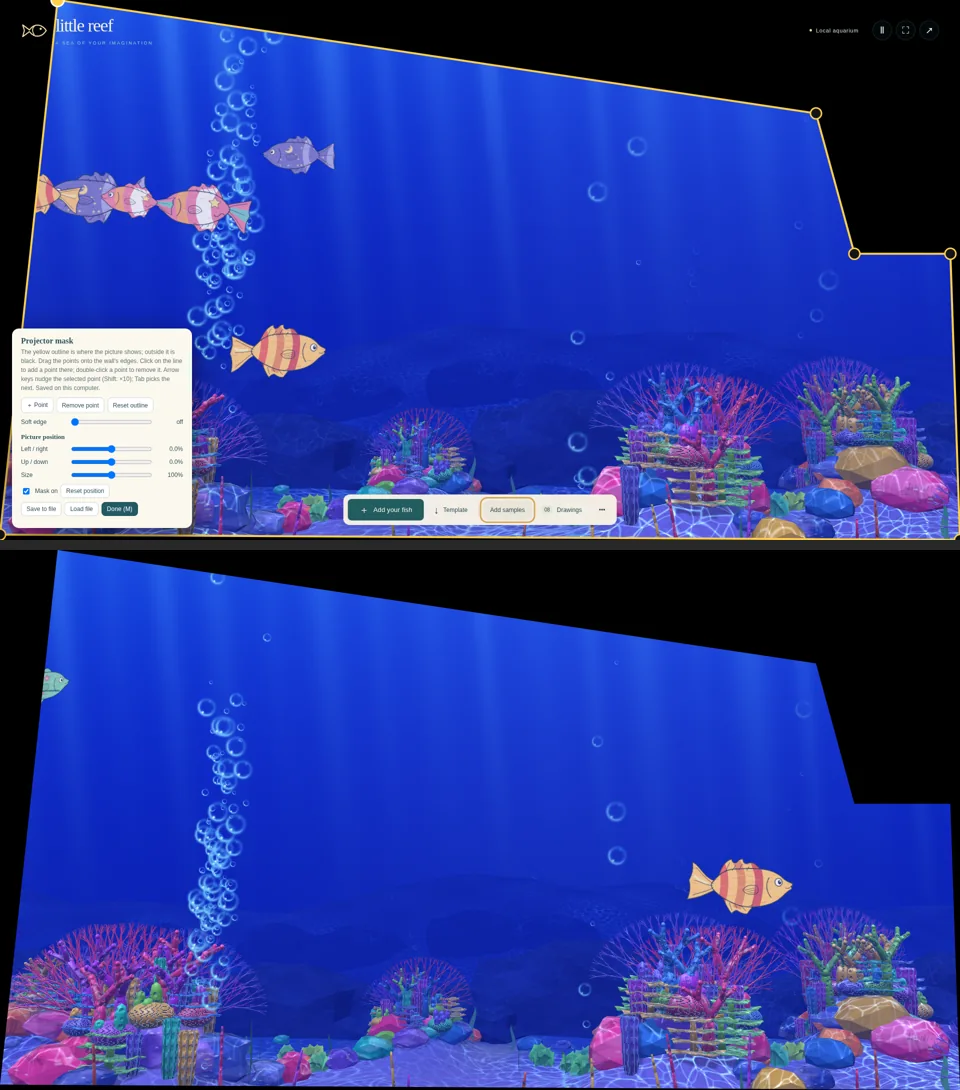
Classroom walls are rarely flat and empty. Built-in projector masking fits the picture around a beam and an angled wall, replacing a paid app.
Deployed. Classroom trial next.
About 120 automated logic tests and 13 end-to-end browser tests check every build. Little Reef is finished and running online. A trial on the school’s projector and Mac mini comes next, then first use with students.
Personal project, built in my own time on my own equipment, for use at Berkley Normal Middle School. Inspired by immersive digital aquariums in museums. No results with students yet. I’ll add them after the classroom trial.
You have the idea. I can get it shipped.
Little Reef went from an idea to a deployed product without a development team. I set the vision, wrote the requirements, judged every result and owned the testing and deployment. AI tools wrote the code under that direction.
That’s what I’d bring to your team: interactive experiences, internal tools and prototypes that reach real users quickly, with one person accountable for how they look, how they work and whether they’re safe. In a senior role, I’d lead that work across a product or programme. On a project, I take one idea from brief to launch.
How I approach AI, automation and custom softwareLet's build it.
Hiring for a senior creative technology role, or planning a project that matters? Tell me what you’re trying to achieve and where you’re based. I’m in New Zealand, spent six years in Singapore and am open to remote work or relocation.